

A Walk Through the Prophecy Explorer: Every Button, Explained
On this page (9 sections)
The Prophecy Explorer puts the Bible's promises on one chart and shows the few places where the three main end-times views part ways. This is a guided tour of every button on it, with screenshots. To follow along, open it at michlaude.com/prophecy-explorer. It works best on a large-screen PC, where the picture and the text sit side by side. Each screenshot has a Full size link under it.
What you are looking at
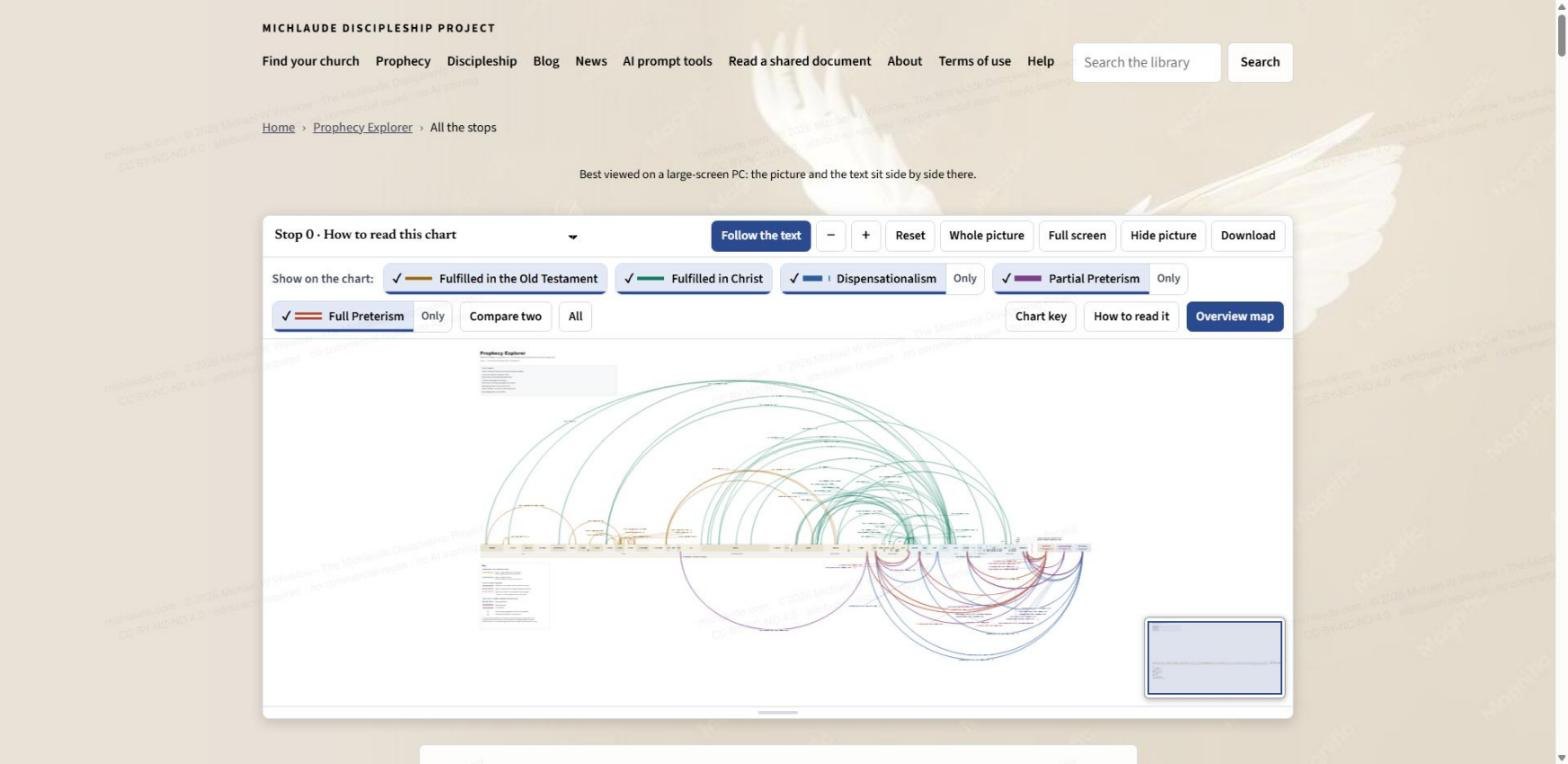
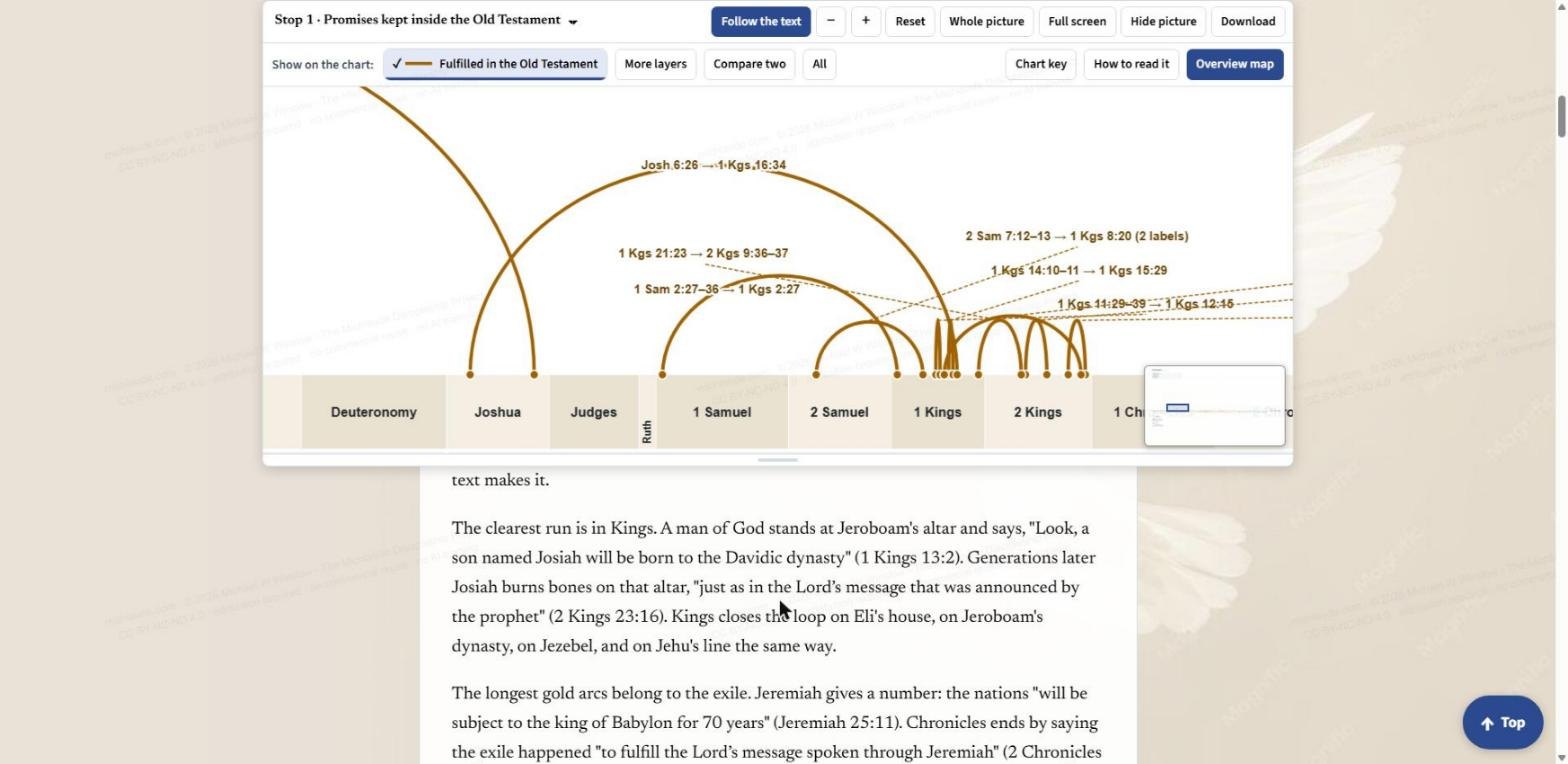
The long bar across the middle is the Bible: 66 books in order, Genesis on the left and Revelation on the right, each as wide as its number of chapters. An arc joins a promise to the place where it is kept. Above the bar are the links Christians broadly agree on: gold arcs that stay inside the Old Testament, and green arcs that run from the Old Testament into the New. Below the bar are the contested passages, drawn once for each of the three end-times views. The first thing the chart teaches is proportion: 48 links above the bar, 6 passages below it.
The toolbar, button by button
A row of buttons sits above the picture and stays in view as you scroll. From left to right:
- The stop menu. Lists the thirteen stops, from Stop 0 (How to read this chart) to Stop 12 (The whole picture). Pick one and the picture jumps to it.
- Follow the text. When it is on (dark blue), the picture follows what you are reading. Scroll to a stop and the chart pans, zooms and switches to the layers that stop uses. The moment you click, drag or zoom the picture yourself, Follow turns off so the chart stays where you put it. Press the button again to hand control back to the text.
- Minus and plus. Zoom out and zoom in. You can also pinch, double-tap, or use the plus and minus keys on your keyboard.
- Reset. Takes the picture back to the framing for the stop you are on.
- Whole picture. Fits the entire chart in the pane.
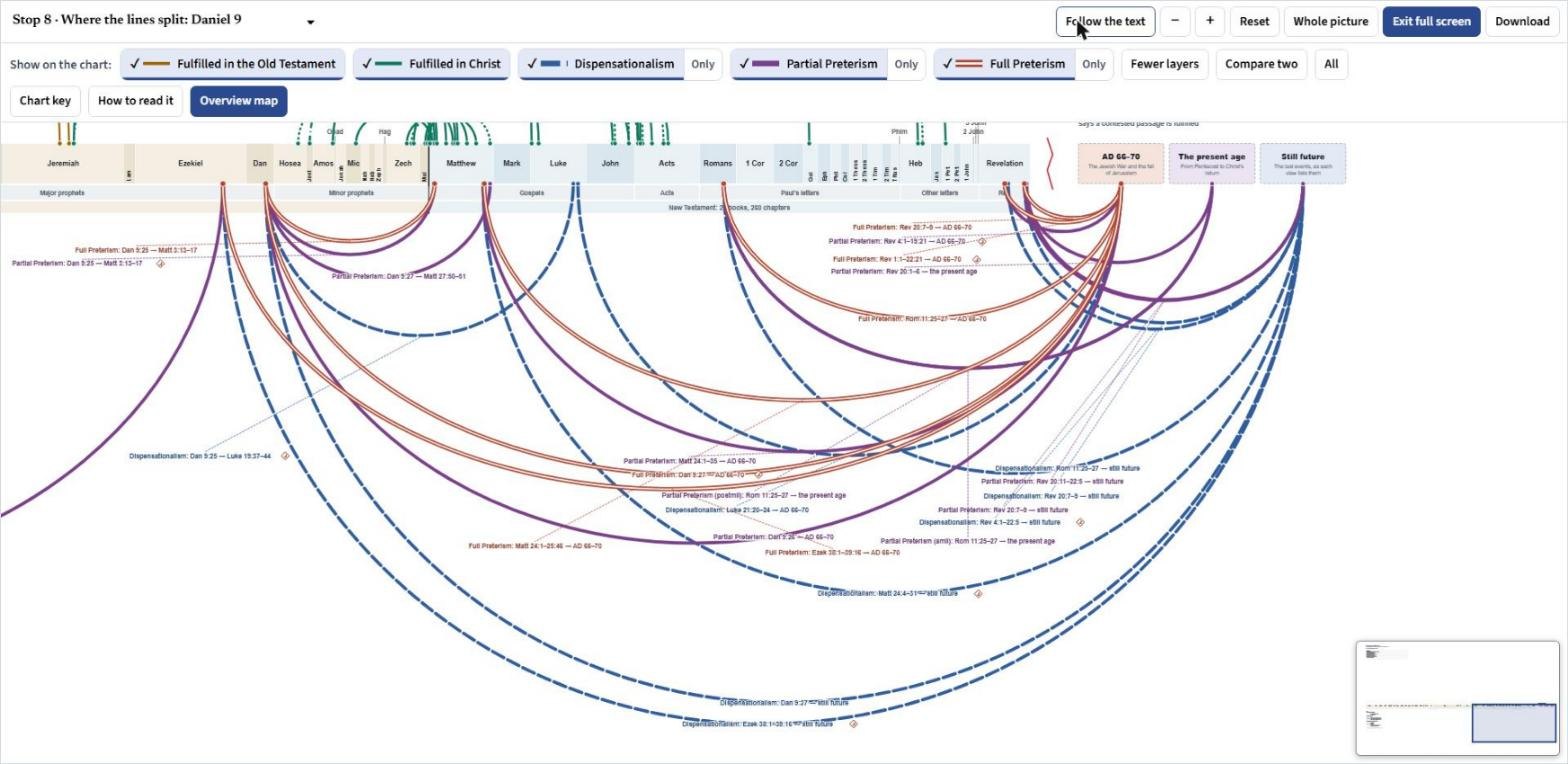
- Full screen. Fills the window with the chart. An Exit full screen button takes you back.
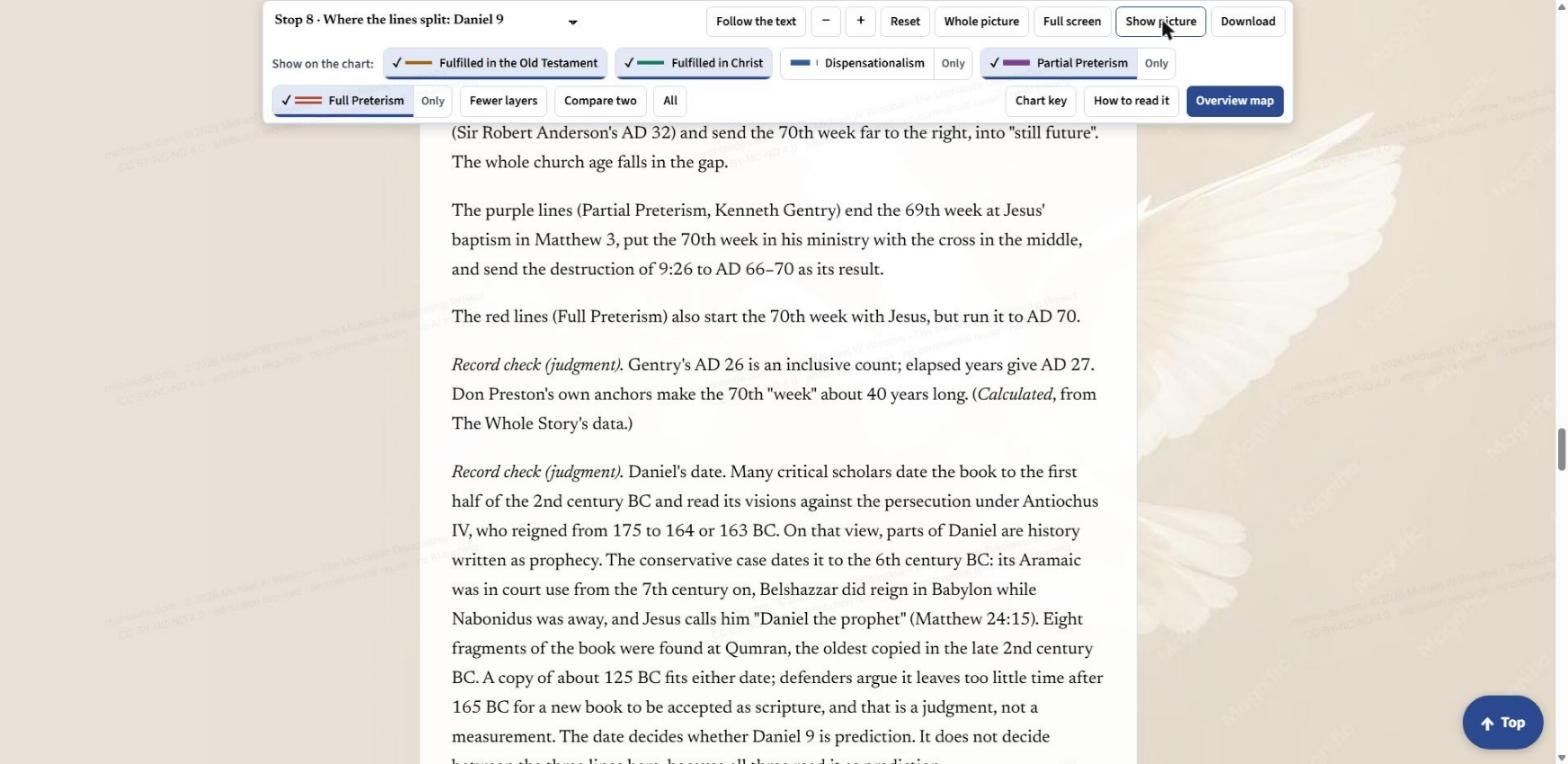
- Hide picture. Folds the chart away so you can simply read. The button then says Show picture.
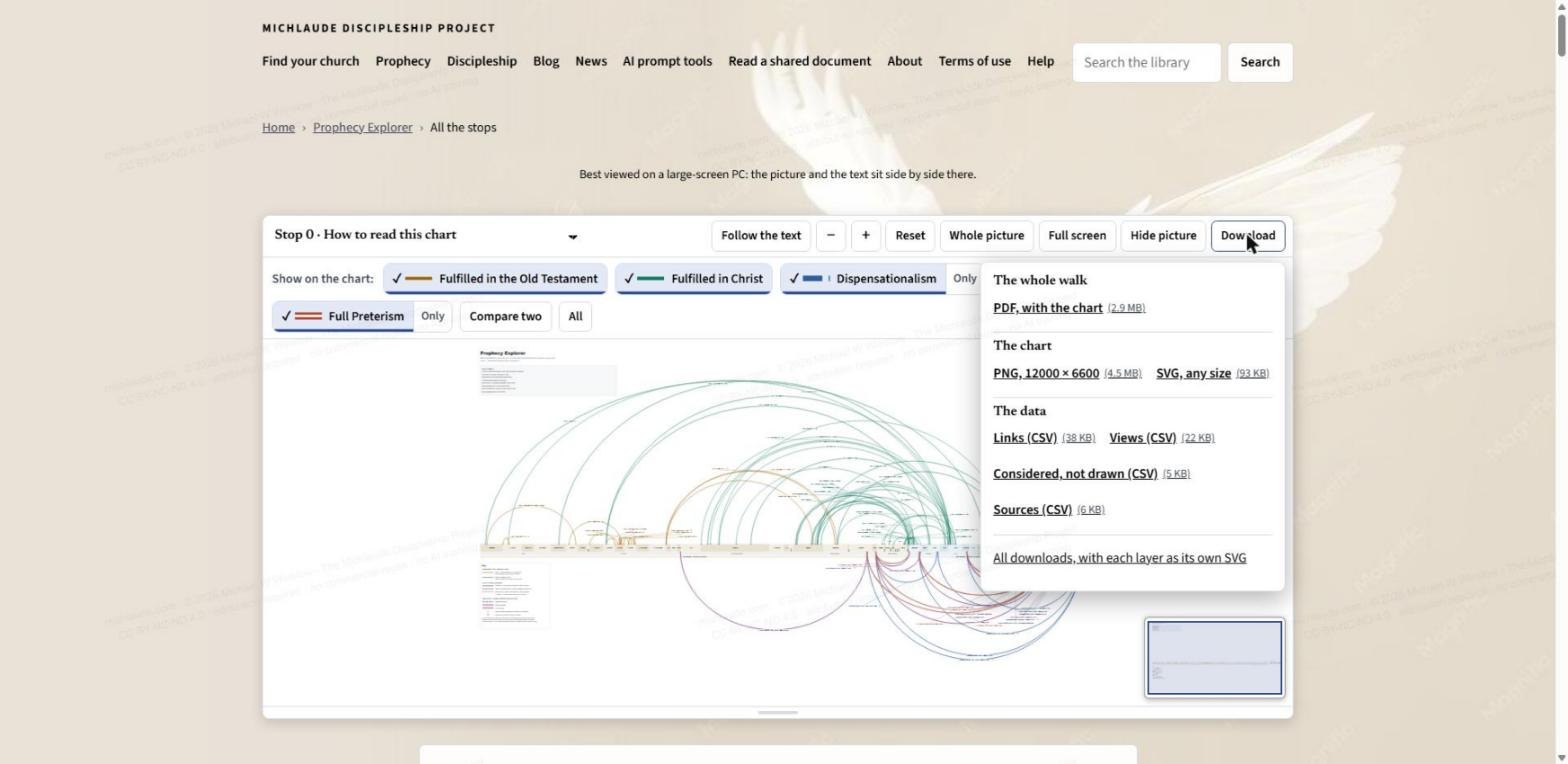
- Download. Opens the download menu, covered below.
Layers: choose what you see
The row labelled "Show on the chart" has one button for each of five layers: Fulfilled in the Old Testament (gold), Fulfilled in Christ (green), and the three end-times views, Dispensationalism (blue dashes), Partial Preterism (purple) and Full Preterism (double red). A check mark means the layer is showing. Click a button to show or hide it. Four more buttons sit beside them:
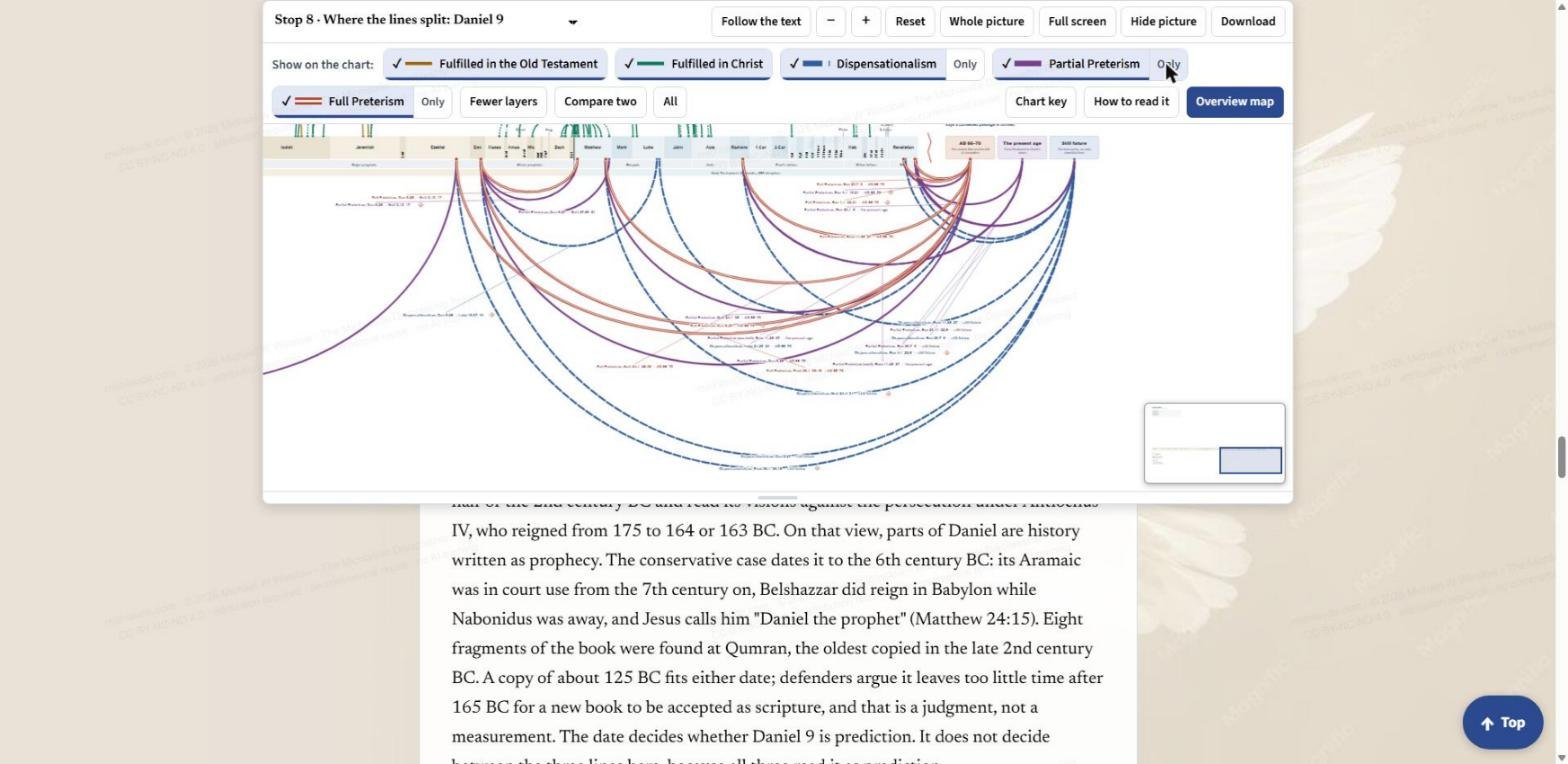
- Only. Next to each end-times view. It shows just that view's lines while the Bible bar and the two bands above it stay in place, so you can read one view on its own.
- Compare two. Keeps no more than two of the three end-times views on the chart at once, so you can set two side by side without the third crowding the picture.
- All. Turns every layer on.
- More layers and Fewer layers. Each stop opens with only the layers it uses. More layers adds the rest. Fewer layers takes them away again.
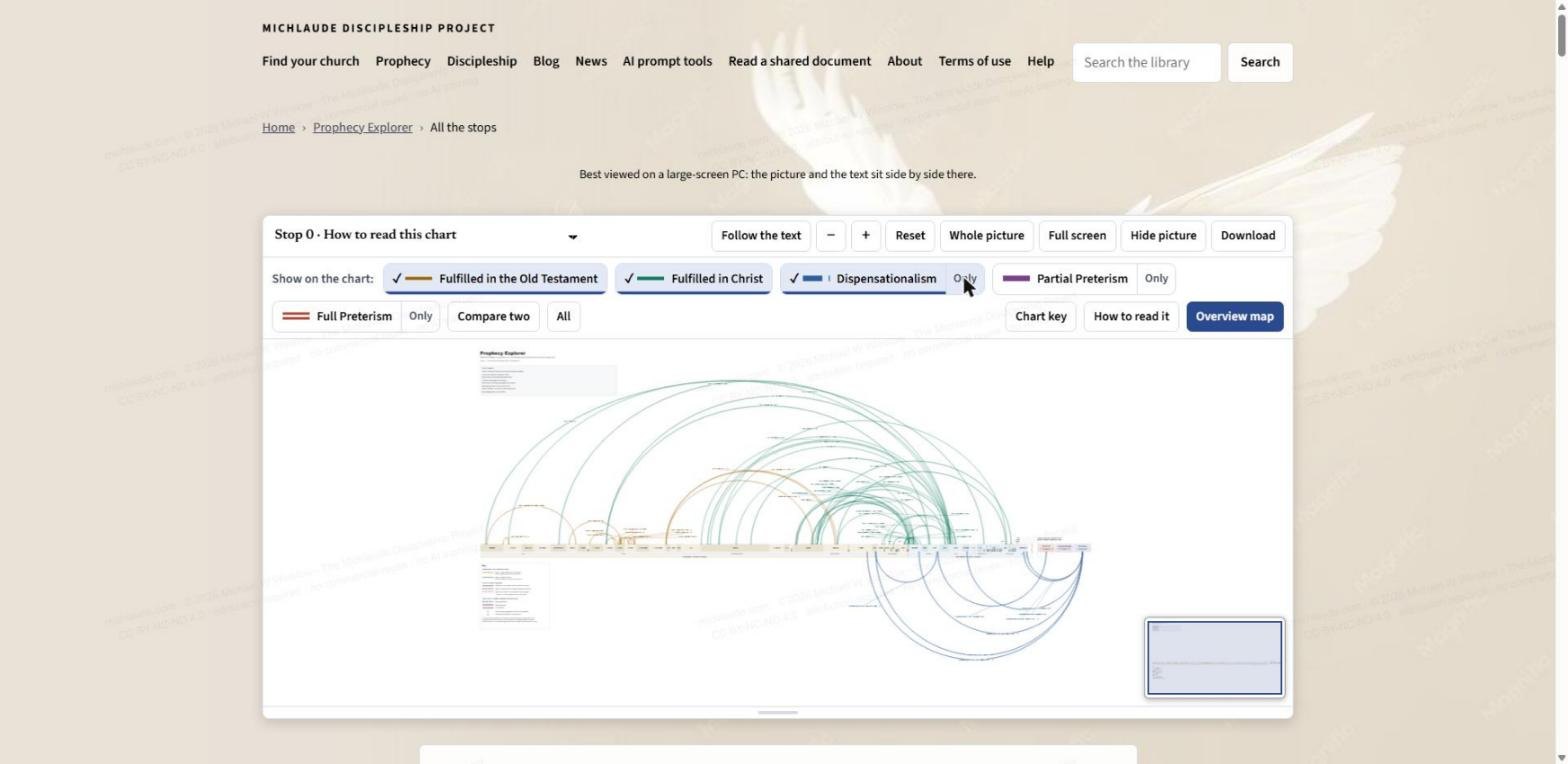
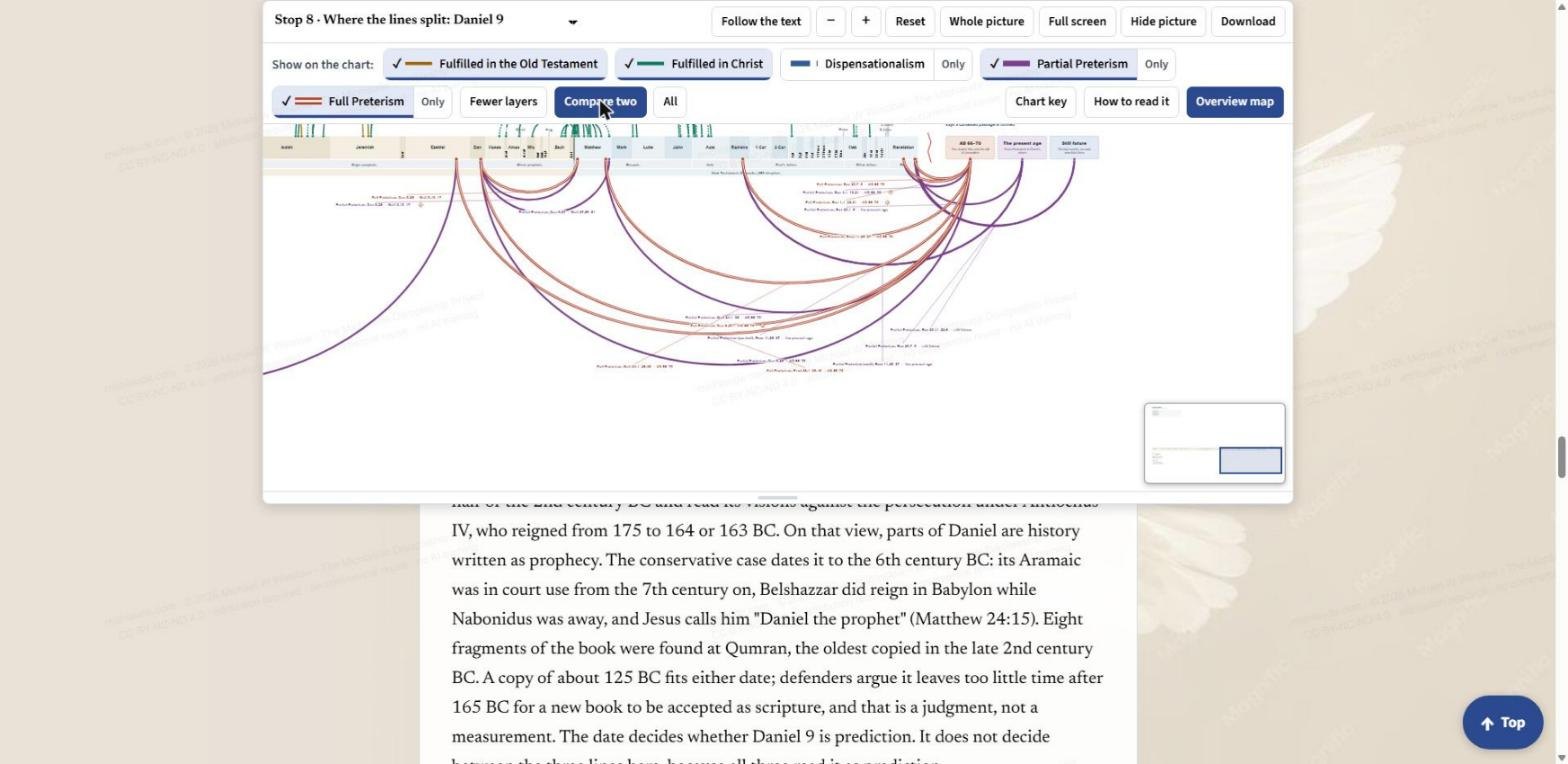
Chart key, How to read it, and the overview map
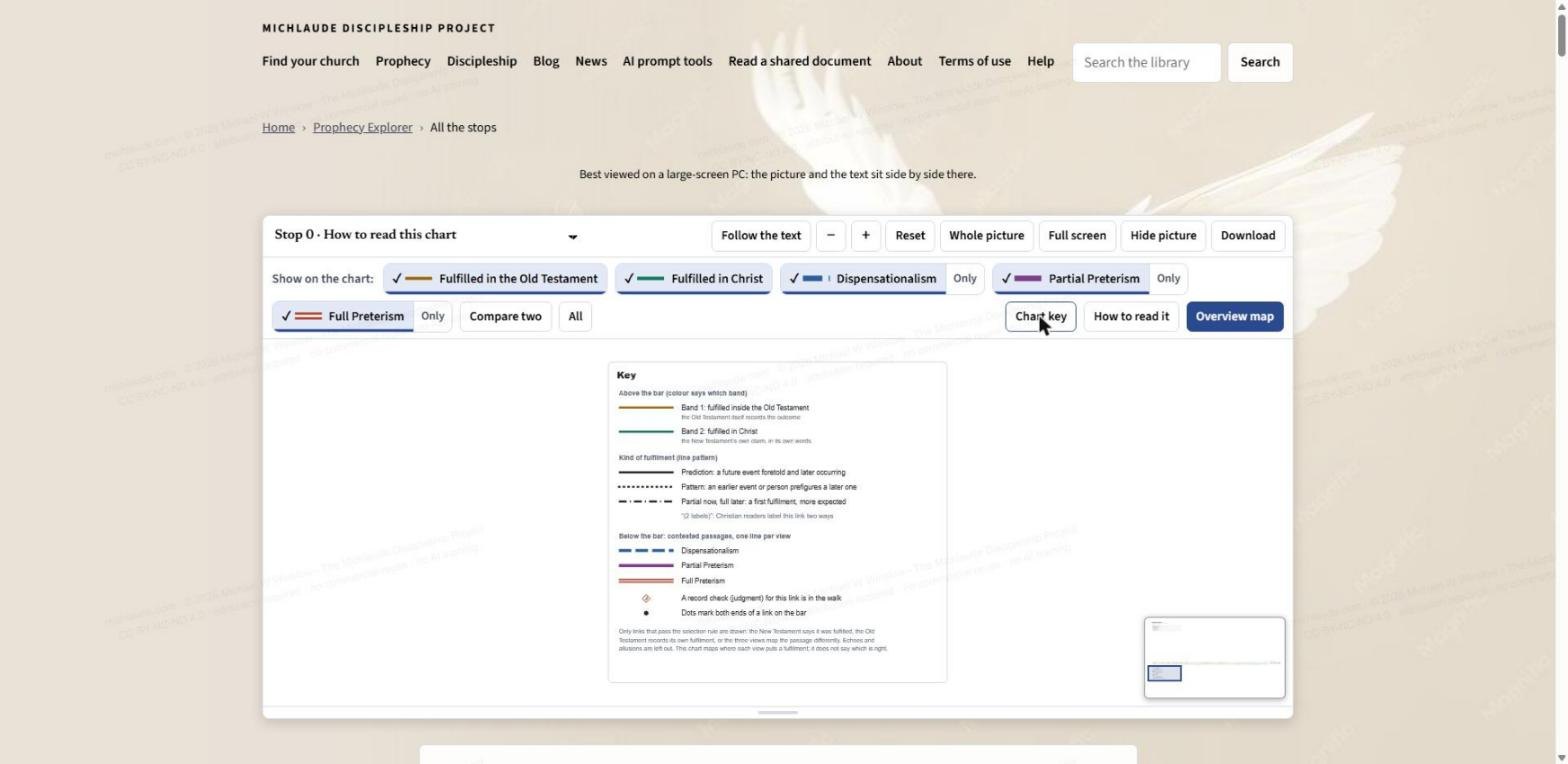
- Chart key. Moves the picture to the key printed on the chart. Colour says which band or view a line belongs to. The line pattern says what kind of fulfilment it is: a solid line is a prediction, a dotted line is a pattern, and a dash-and-dot line is a partial fulfilment with more to come. A small diamond marks a link that has a "record check" in the walk.
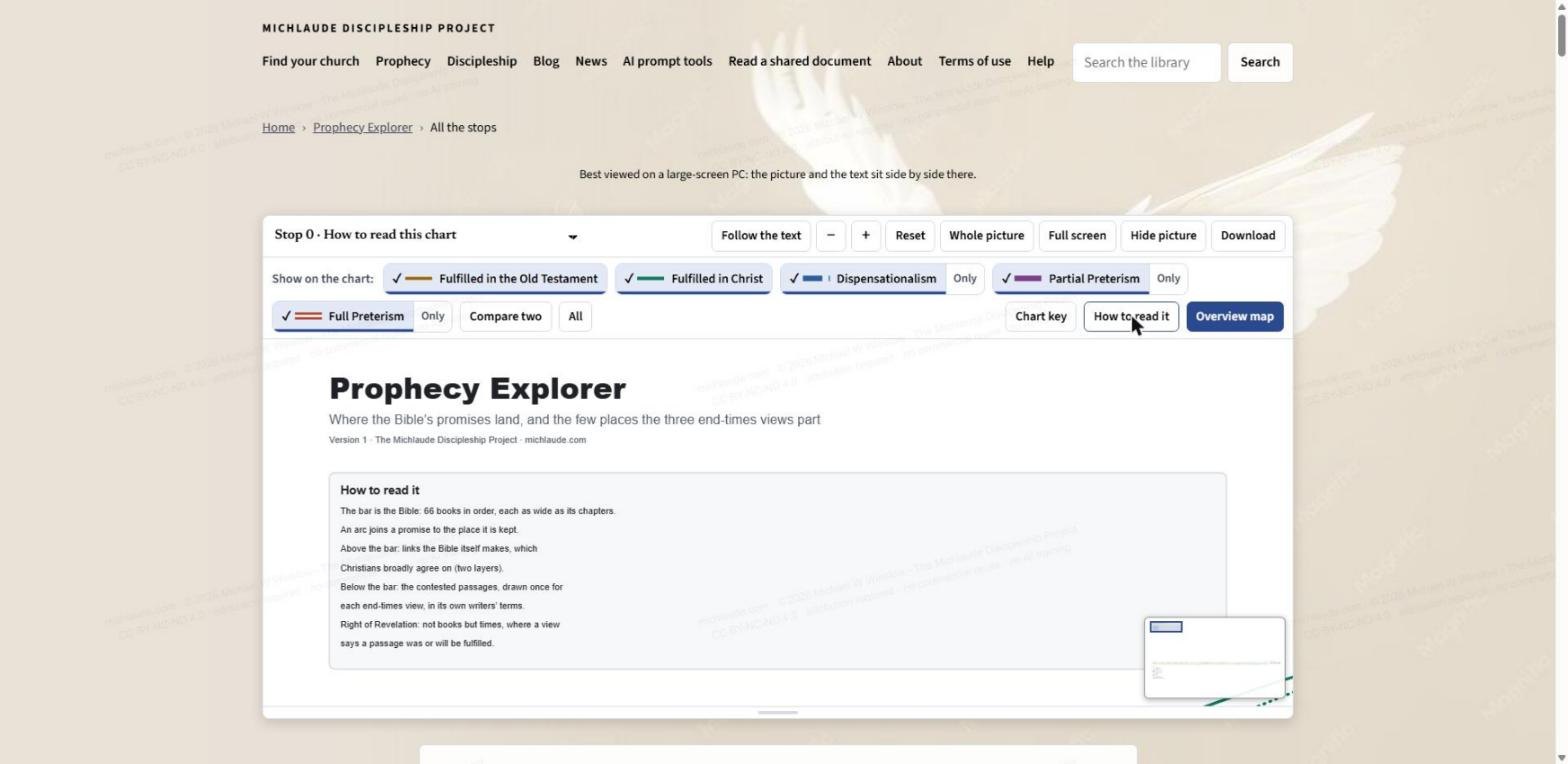
- How to read it. Moves the picture to the short guide printed at the top of the chart.
- Overview map. Shows or hides the small thumbnail in the corner of the picture. It is a map of the whole chart with a box on the part you are looking at, so you never lose your place when you zoom in.
Walking the stops
The text on the page is divided into thirteen stops. Stop 0 teaches you to read the chart. Stops 1 and 2 take the gold arcs and the green arcs. Stops 3 to 7 show the kinds of fulfilment: prediction, pattern, the servant and the psalm, the promise line, and promises fulfilled in part now with more to come. Stops 8 to 11 go below the bar to the contested passages: Daniel 9, the Olivet Discourse, Revelation, and Gog, Magog and Israel's future. Stop 12 steps back to the whole picture.
Turn Follow the text on and just scroll. When you reach Stop 1, the picture zooms to the gold arcs in Kings. When you reach Stop 8, it moves below the bar to the three end-times views. A "Top" button at the bottom right of the page takes you back to the start, with the site menu.
Tap an arc
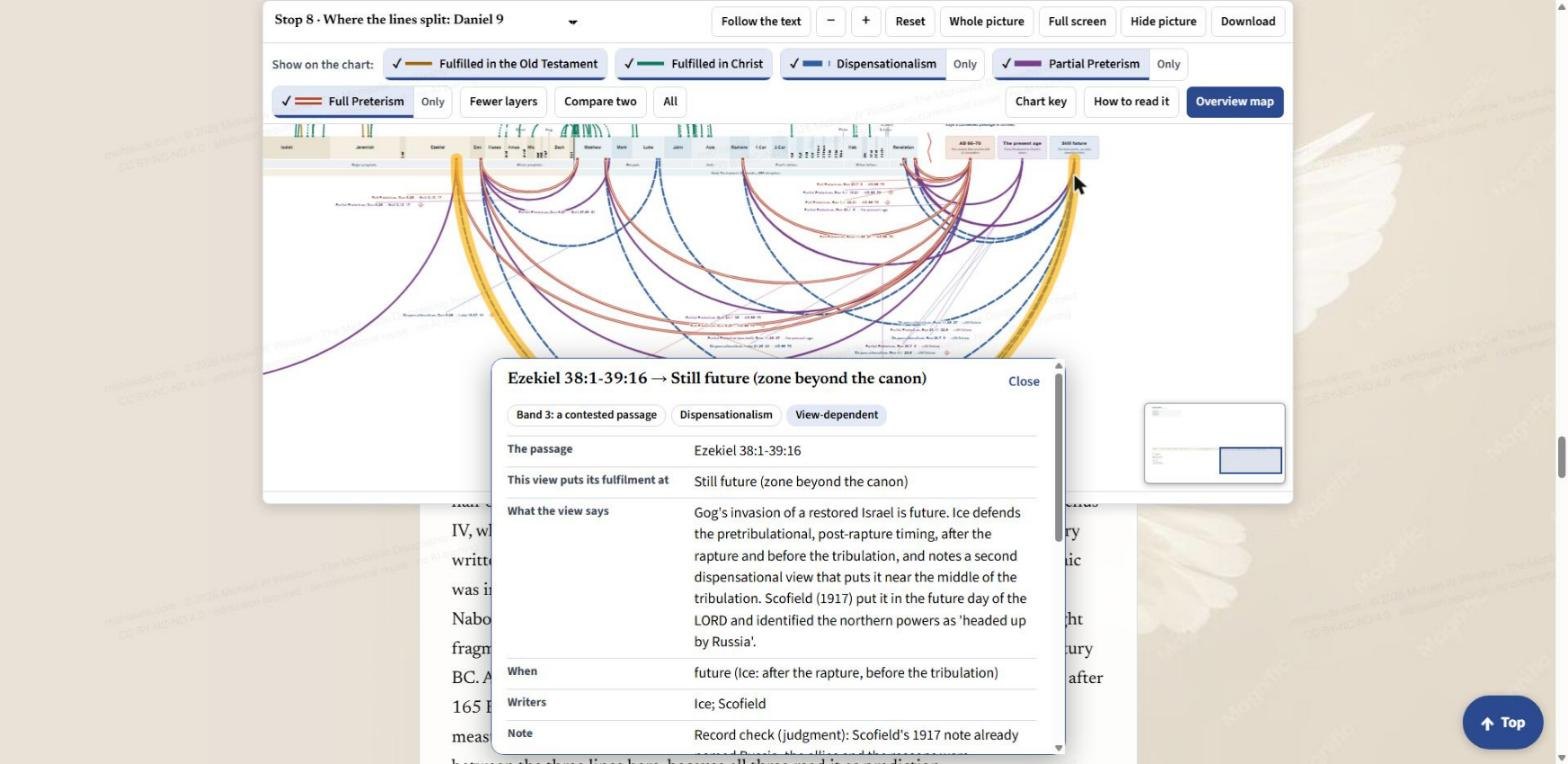
Tap or click any arc. It turns gold and a card opens with the passage, where this view puts its fulfilment, what the view says, when, who writes it, and a note. Where the page flags a question of judgment, the note says so. Press Close to put the card away. Every arc is also listed in the data table, which you can download.
Full screen, Hide picture and Download
Full screen gives the chart the whole window. The toolbar and the layer buttons stay along the top, so everything above still works there.
Hide picture folds the pane away when you want to read without the chart. Press Show picture to bring it back.
Download opens a menu: the whole walk as one PDF with the chart printed in it, the chart itself as a 12000 by 6600 picture or as an SVG you can scale to any size, and the data behind it as CSV files (every link, how each view reads the contested passages, the links considered and left out, and the sources). A link at the bottom leads to the page where each layer is its own transparent SVG, so you can lay them over each other.
Moving around the picture
Drag the picture to move it. Pinch, double-tap, or use the plus and minus keys to zoom. Under the picture there is a small handle: drag it, or use the up and down arrow keys, to make the picture taller or shorter.
A good way to start
Open the Explorer, turn Follow the text on, and read Stop 0. Then scroll slowly to Stop 8 and press Only beside one view, then another, and watch where each one lands. Tap a few arcs and read what each view says in its own writers' terms. The chart does not tell you which view to hold. It shows you where they agree, which is a great deal, and where exactly they part. The books on this site argue the rest; start with the three books in Prophecy.
Share this post:Share on Facebook