

Ask the Michlaude Library: an AI notebook for the books
The books and papers of the Michlaude Discipleship Project are now in a notebook you can ask questions of. It is called Ask the Michlaude Library, it holds 53 sources, and it is shared with anyone who has the link. Open it, type a question, and an AI answers from those pages, with a numbered reference beside each point so you can see where it came from.
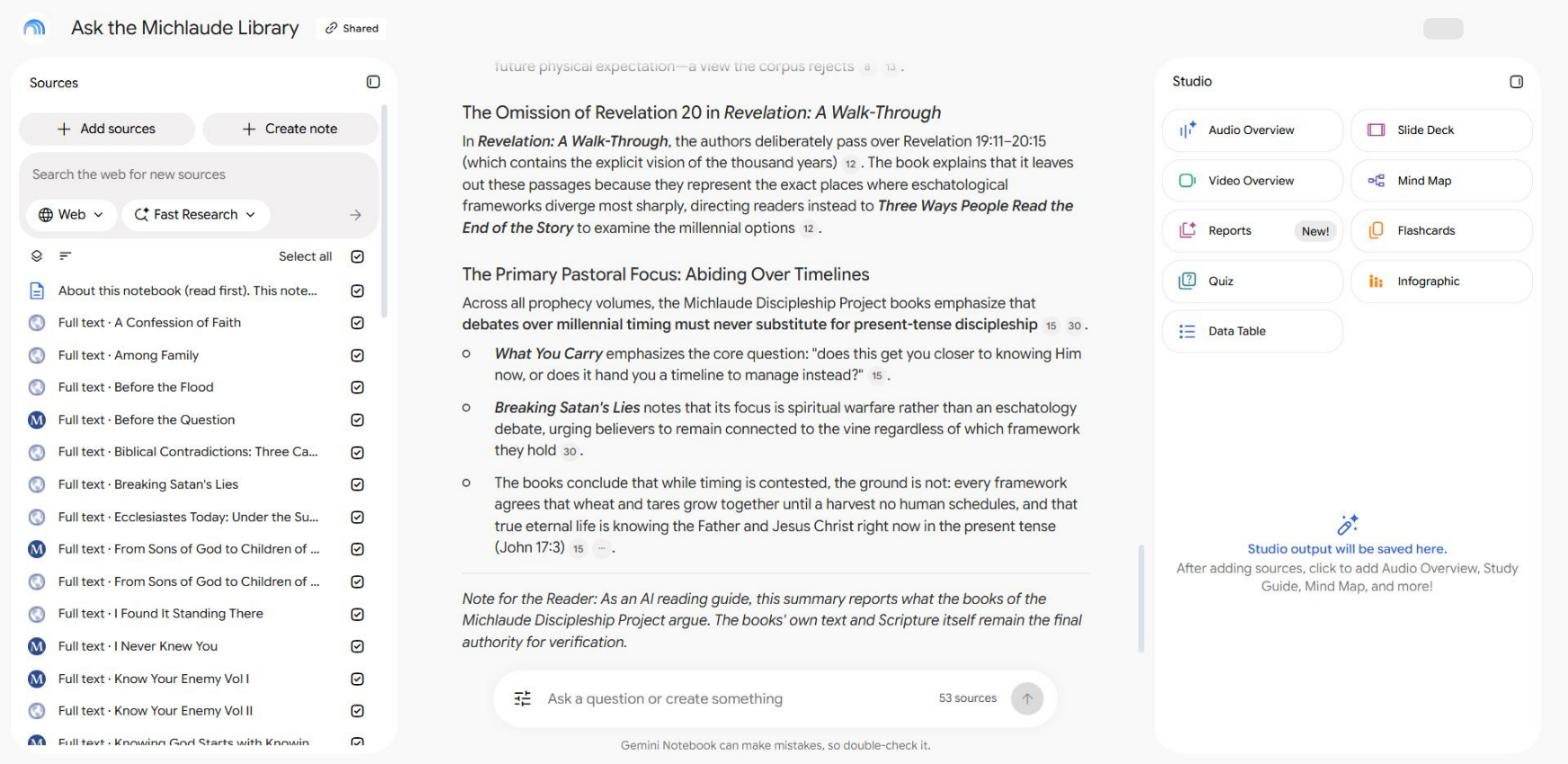
Open Ask the Michlaude Library (it opens on Google, and you need a Google account).
How to use it
- Open the link and sign in with your Google account.
- Type a question in the box at the bottom. You could try "What do the books say about the thousand years in Revelation 20?" or "Where do the books talk about abiding in Christ?"
- Click a numbered reference to see the passage the answer was drawn from, and read it in its own words.
What to keep in mind
It is an AI reading guide, not the author. It reports what the books say, and as Google's own note under the box says, it can make mistakes, so double-check anything that matters. The books and Scripture itself remain the final authority. You can ask questions and read the answers; you cannot change the notebook.
The notebook lives on Google, not on this site. What you ask goes to Google under your own account, and it does not pass through michlaude.com.
To read the books themselves, start at the Discipleship library.
Share this post:Share on Facebook